
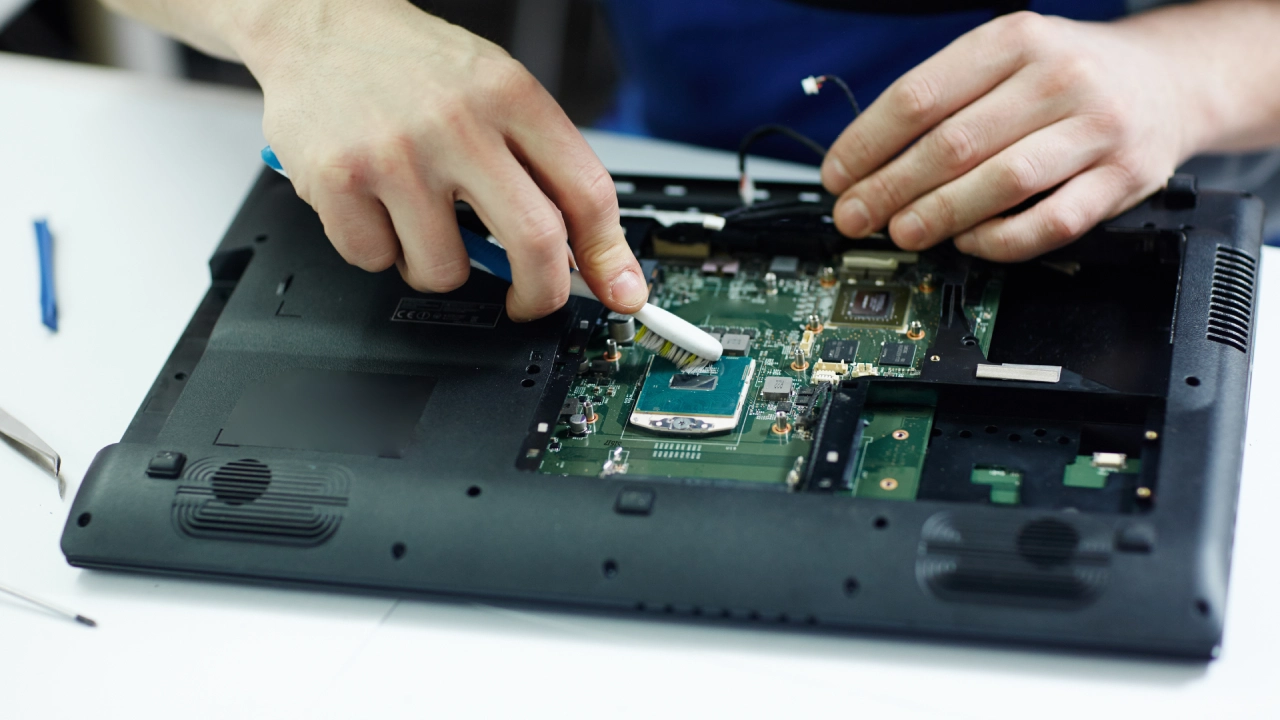
Fix overheating and slow laptop performance with repair solutions.
Laptops are built for convenience, but constant use, heavy applications, and poor maintenance can lead to overheating and slow performance. These issues don’t just interrupt your work; they can shorten your device’s lifespan if left unchecked. The good news is that the right laptop repair approach can address these problems and restore smooth functionality.
Below are seven practical ways to handle overheating and performance concerns effectively.
1. Cleaning Internal Dust and Debris
One of the most common causes of overheating is dust buildup inside the laptop. Over time, particles collect around the fan and heat sink, restricting airflow and trapping heat.
Through professional laptop repair, technicians open the device and carefully remove dust using safe tools. This improves ventilation and helps keep internal components cooler. A clean system also prevents the fan from working harder than necessary, which helps reduce noise and wear.
2. Replacing Thermal Paste
Thermal paste plays a key role in transferring heat from the processor to the cooling system. Over time, this paste can dry out or lose its effectiveness, leading to rapid heat buildup.
A proper laptop repair service includes removing the old paste and applying a fresh layer. This simple step improves heat dissipation and keeps the processor running at a stable temperature, even during demanding tasks.
3. Upgrading RAM for Smoother Performance
Slow performance is often linked to insufficient memory. When your laptop struggles to handle multiple applications, it may overwork the processor, which increases heat output.
Upgrading RAM through laptop repair allows your system to manage tasks more efficiently. With improved memory capacity, the laptop can run programs without lag, reducing stress on internal components and lowering the chances of overheating.
4. Switching to a Solid-State Drive (SSD)
Traditional hard drives can slow down performance due to slower read and write speeds. This delay can make the system feel unresponsive, especially when opening files or launching software.
A laptop repair upgrade to a solid-state drive significantly boosts speed. SSDs operate faster and generate less heat compared to older drives. This change not only enhances performance but also helps keep the system cooler overall.
5. Fixing or Replacing Faulty Cooling Fans
Cooling fans are essential for regulating temperature. If a fan becomes noisy, slow, or stops working, heat can build up rapidly inside the laptop.
During laptop repair, technicians inspect the fan for damage or wear. If needed, they clean, repair, or replace it to restore proper airflow. A functioning fan ensures that heat is consistently pushed out of the system, preventing overheating during extended use.
6. Removing Unnecessary Software and Background Processes
Sometimes, performance issues are not hardware-related. Too many background applications or unwanted programs can consume system resources, slowing the laptop and causing it to heat up.
A laptop repair process often includes software optimization. This involves removing unused programs, disabling unnecessary startup items, and scanning for harmful files. With fewer processes running, the system operates more efficiently and generates less heat.
7. Updating Drivers and System Settings
Outdated drivers and improper system settings can lead to inefficient performance. When hardware components don’t communicate properly with the system, it can result in increased workload and overheating.
During laptop repair, technicians update drivers and adjust system configurations to meet the laptop’s requirements. This ensures smoother interaction between hardware and software, improving speed and temperature control.
Why Timely Action Matters
Ignoring overheating and performance issues can lead to more serious damage, such as motherboard failure or permanent data loss. Regular maintenance and timely laptop repair help prevent these outcomes and keep your device functioning reliably.
By addressing both hardware and software factors, these solutions create a balanced system where components operate within safe limits.
Get Your Laptop Checked Today
Overheating and slow performance are common challenges, but they are not permanent problems. From cleaning internal components to upgrading key components, the right laptop repair steps can restore efficiency and extend your device’s lifespan.
If your device is slowing down or heating up more than usual, it may be time to take action. Reach out to iPace Electronics for a thorough inspection and reliable laptop repair that keeps your system running smoothly.
